
All of your data is synced across multiple devices (iOS, Android, and macOS) in real time including web application at www.professionalinvoicing.com
Example: Suppose you are currently on Pro Plan in which you can create upto 25 clients. Assume that you created 25 clients. Now when you will try to create 1 more client (26th) then you will get Plan Limitations message and you will get redirected to Plan & Pricing Page.
In such case there are two options through which you will be able to add client 1) You can upgrade your current plan. (Pro Rated. Remaining amount for the current plan will be refunded.) 2) Delete some clients and then add new one.
In this article, we will explain you more about how to Subscribe or renew existing Plan.
iOS, Android, and Mac #
- For more information on how to purchase a plan follow the steps given in Web section.
- If you have just subscribed to a new plan from Professional Invoicing website then that plan will get auto-synced with Professional Invoicing app (iOS/Android/Mac)
Web #
Subscribe / Renew Plan #
-
First, visit www.professionalinvoicing.com/auth/login and login with your login credentials (email & password). Professional Invoicing (iOS, Android, and macOS) application users can use their application login credential (email & password).
- Click on Purchase Plan/Upgrade plan button available at the top or go to https://www.professionalinvoicing.com/pricing.
- Click on Buy button of a Plan that you want to purchase.
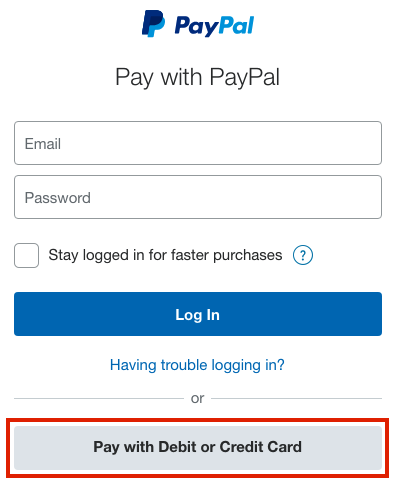
- You will be redirected to Payment gateway – Paypal.
- Enter your Paypal email and password.
- After login click on the Pay Now button.
- After successful payment, you will get notified. Now you can start using your new plan.
- Your newly subscribed plan will get auto-synced with your iOS/Android/Mac Professional Invoicing app (user account) but if the plan doesn’t get reflected then follow the information given here.
Plan Upgrade / Downgrade #
You can choose to Upgrade / Downgrade from your current plan anytime.
The process for upgrading / downgrading is same as mentioned in Subscribe / Renew plan section
Plan Upgrade #
Example: Suppose you are currently using Lite plan which costs around $ 49.99. You have used this plan for 6 months and 6 months are still remaining for plan to expire, but you wish to opt-in for upgrading to pro plan. In that case we will adjust your remaining 6 months money (credit) that is $ 24.99 towards the Pro plan. So effectively you will get additional 3 months added to your Pro plan.
Just drop us an email in case of any issue with plan upgrad at support@professionalinvoicing.com
Plan Downgrade #
For example: You have used the Lite plan for 1 month and 11 months are still remaining for lite plan to expire, but you wish for downgrading from Lite($ 49.99) to Starter plan ($ 24.99) in that case remaining 11 months money will not be refunded


